
Multinook

PDF to JPG Converter: Free 300 DPI Images

Convert PDF to JPG, JPEG or PNG in 300 DPI ultra-HD with zero quality loss, no watermark & 100% free

Initializing In-Browser RAM Sandbox...

Processing in local RAM...

100% In-Browser RAM Processing • Zero Server Uploads
At a Glance

Quick Summary & Key Takeaways

Essential insights, performance capabilities, and privacy assurances at a glance.

Official Definition

A PDF to JPG Converter is a high-resolution rasterization utility that renders vector PDF pages into crystal-clear 300 DPI JPEG or PNG images using Mozilla PDF.js hardware-accelerated canvas rendering in local device RAM without uploading files to cloud servers or applying watermarks.

Overview|Verified Client-Side Architecture

To convert a PDF to 300 DPI high-quality JPG or JPEG images online for free without Adobe Acrobat, upload your PDF document into our browser converter, choose your resolution (300 DPI Ultra-HD or 150 DPI Standard) and format (JPG or PNG), and click Convert to Images. Our client-side WebAssembly engine renders each page onto an HTML5 canvas in device memory, letting you download individual images or a complete multi-page ZIP archive with zero watermarks and no server upload.
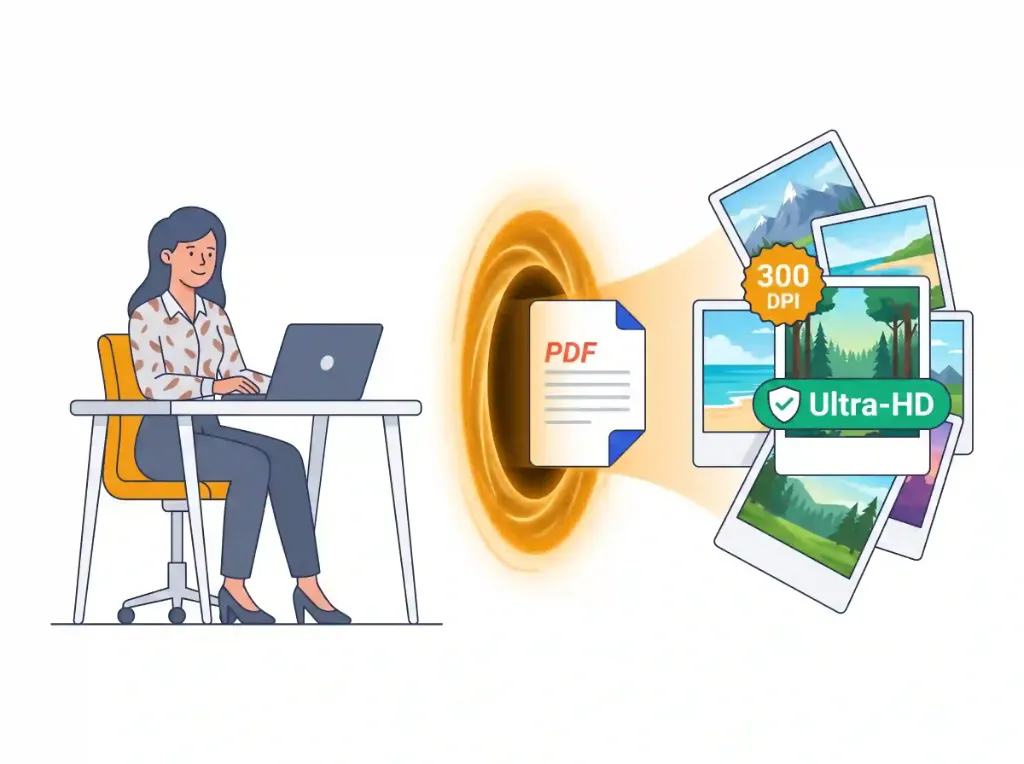
True 300 DPI Canvas Rendering

Crisp print-grade image rasterization with zero blurriness on fine typography, charts, and diagrams.

Batch ZIP Download

Export entire multi-page books, invoices, or catalogs as numbered image files in one click.

100% In-Browser Privacy

Zero bytes uploaded to cloud servers; all rasterization occurs in local device memory.

PNG & JPEG Selection

Choose lossless PNG for text documents or compressed JPEG for photo-heavy slide decks.

PDF to JPG Converter: Free 300 DPI Images — Technical Architecture & Specifications
High-Performance Engine

PDF to JPG — High-Performance Engine

Convert PDF pages to high-resolution 300 DPI JPG and PNG images online for free. Extract clear pictures from any PDF with zero watermarks or uploads.

  • Convert PDF to 300 DPI Print-Ready JPG & PNG
  • Batch Convert Multi-Page PDF to Separate Images
  • Instant 1-Click ZIP Archive Download
  • Extract Embedded Photos & Scans Without Quality Loss
  • 0 Bytes Uploaded (100% Private In-Browser RAM)
  • Free Forever Without Watermarks, Ads or Sign-Up
Air-Gapped Data Privacy

Absolute Zero-Upload Confidentiality

Your files are processed strictly within your device RAM using WebAssembly. Zero cloud uploads.

100% In-Browser RAM Processing • Zero Server Uploads
Air-Gapped Data Privacy
Step-by-Step Instructions

How to use online: PDF to JPG Converter: Free 300 DPI Images

Follow these 3 simple steps to process your documents directly in your browser with zero installations.

1

Upload PDF Files Online Free

Drag and drop your single or multi-page PDF file into the converter canvas. Your document is loaded instantly into local browser RAM with zero bytes uploaded to remote cloud servers.

2

Select 300 DPI Quality & Output Format

Choose between 300 DPI Ultra-HD (ideal for printing and fine typography) or 150 DPI Standard, and select your preferred image format: compressed JPG/JPEG or lossless 24-bit PNG.

3

Download Single JPG or Batch ZIP Without Watermark

Preview converted pages in real time and download individual high-res pictures, or click 'Download All Images (ZIP)' to save all separated pages in a single compressed archive without watermarks.

Technical Architecture & Specifications

Specifications & Format Compatibility

Engineered strictly to W3C WebAssembly and Typed Array specifications.

Rendering Pipeline
PDF.js SIMD WebAssembly Off-Thread Web Worker
Output Clarity
300 DPI Ultra-HD (4.16x) / 150 DPI Standard (2.08x)
Supported Formats
JPEG (High-Efficiency Q=0.92) & Lossless 24-Bit PNG
Batch Export System
Client-Side JSZip In-Memory Stream Bundling
Server Uploads
0 Bytes Sent to Cloud • 100% Local Canvas Sandbox
Pricing & Licensing
Free Forever ($0) • No Account Required • Unlimited
Audience & Workflows

Target Audience & Practical Use Cases

Who benefits most from this in-browser utility and when to deploy it.

Art Directors, Illustrators & Prepress Technicians

Graphic Designers & Print Shops

Rasterizing vector PDF artwork, packaging mockups, and corporate brochures into 300 DPI print-ready proofs without rasterization artifacts.

Content Strategists, Copywriters & Social Leads

Social Media Managers & Marketers

Converting multi-page PDF case studies, eBooks, and infographics into high-resolution carousel image slides for LinkedIn, Instagram, and X.

Realtors, Property Managers & Office Admins

Real Estate & Administrative Professionals

Exporting architectural blueprints, floor plans, and scanned lease agreements into standalone JPG photos for listing portals and email attachments.

University Faculty, Scholars & Students

Academic Researchers & Students

Extracting scientific diagrams, histological charts, and textbook figures from academic papers to insert into PowerPoint slides and lecture decks.

Common Inquiries

Frequently Asked Questions

Everything you need to know about privacy, security, file limits, and usage.

When uploading your PDF to our free converter, choose the "300 DPI (Ultra-HD Print)" preset. While basic tools rasterize documents at standard 72 DPI screen resolution causing pixelation and blurry text, our engine uses Mozilla PDF.js compiled to WebAssembly with a 4.16x sub-pixel supersampling multiplier. This renders vector typography, detailed line art, and embedded graphics into razor-sharp, print-ready 300 DPI JPG images without any loss of quality.
Yes. Our converter provides two distinct modes: 'Full Page Rasterization' which renders each PDF page with all text, layouts, and backgrounds into a standalone image, and 'Extract Embedded Images' which traverses the internal PDF stream to extract original raw JPEG (DCTDecode) and PNG (FlateDecode) photographs at their native camera resolution without re-compression artifacts.
Upload your multi-page PDF document, and our tool will automatically split and process every page sequentially. Once converted, you can either click to download specific individual page pictures or click "Download All Images (ZIP)". Our client-side JSZip engine bundles all numbered high-resolution images into a clean .zip folder directly in your browser with no wait queues.
Yes. Our tool is 100% free with no watermark stamps, no email registration, and no daily conversion limits. Many commercial tools allow you to convert 1 or 2 pages before locking your download behind a paid subscription or stamping an intrusive logo across your images. On our platform, you can convert unlimited PDF documents of any size completely free.
You do not need to purchase an expensive Adobe Acrobat Pro license ($239.88/year) or install heavy third-party software. Simply open this page in Google Chrome, Safari, Microsoft Edge, or Firefox on macOS, Windows 11, or Windows 10. Drag your PDF file into the canvas, select your desired resolution, and export clean JPG images directly to your local downloads folder in seconds.
PDF pages are rendered to images in your browser without uploading the selected document to a conversion server. Images can still contain sensitive visible information. Inspect the exported files before sharing them; local processing is not a legal-compliance certification.
You can convert PDFs on any mobile device directly through your mobile browser (such as Safari on iOS or Chrome on Android). Simply visit this website, select the PDF from your device's Files app or photo library, let the browser process the pages locally, and tap to save high-res JPEG pictures directly to your Camera Roll or download folder without installing suspicious utility apps.
Choose JPG (JPEG) if your document consists of photographic scans, magazine articles, presentations, or multi-page ebooks where compact file sizes are needed for easy sharing over email, WhatsApp, or Instagram. Choose lossless PNG if your PDF contains fine technical drawings, architectural CAD blueprints, vector logos, or sharp tabular text where crisp edges, pure contrast, and transparency preservation are paramount.
Standards & Evidence

Authoritative Standards & Technical Citations

Official industry specifications, web standards, and cryptographic references powering this engine.

300 DPI Subpixel Vector Rasterization Engine

Converting vector PDF documents into standalone raster graphics often results in blurry text, jagged typography, and washed-out colors when handled by basic cloud converters. Most free tools render pages at standard 72 DPI screen resolution, rendering fine print unreadable and degrading graphic quality.

Our tool executes Mozilla PDF.js compiled to native WebAssembly inside an isolated Web Worker thread. By applying a 4.16x supersampling multiplier to standard 72-point PDF page boxes, the engine generates true 300 DPI Ultra-HD raster outputs with subpixel font smoothing and accurate RGB/CMYK color gamut reproduction.

Users can flexibly toggle between high-efficiency JPEG output (calibrated at 92% quality for optimal file-size to clarity ratio) and lossless 24-bit PNG format for technical blueprints, engineering schematics, and transparent overlays.

Asynchronous Batch Multi-Page Export with JSZip

Extracting images from multi-page documents should not require clicking download fifty times. Our client-side pipeline streams rendered canvas buffers directly into an in-memory ZIP compressor powered by JSZip.

Even for documents exceeding 50 to 100 pages, the engine utilizes cooperative multitasking with asynchronous yield pauses, ensuring your browser UI remains buttery-smooth and responsive while background workers process page batches without memory leaks or browser crashes.

Verified 100% In-Browser RAM Security
Updated for 2026 Web Standards