

Multinook

PDF to High-Res JPG

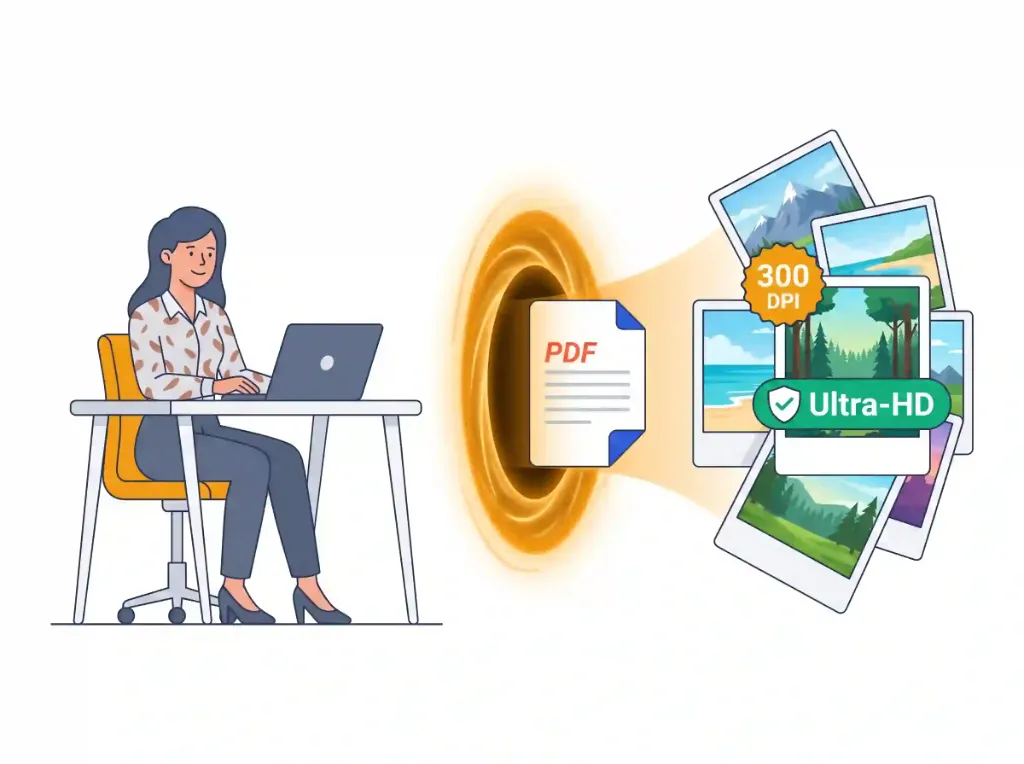
Convert PDF pages into crystal-clear 300 DPI images

Initializing In-Browser RAM Sandbox...
PDF to High-Res JPG — Technical Architecture & Specifications
High-Performance Engine

PDF to High-Res JPG

Extract and render PDF pages into clean JPG or PNG images directly in your browser. Download single images or bulk ZIP.

300 DPI vector clarity
Single page & batch export
ZIP bundle download
Zero blur
Air-Gapped Data Privacy

Absolute Zero-Upload Confidentiality

Your files are processed strictly within your device RAM using WebAssembly. Zero cloud uploads.

100% In-Browser RAM Processing • Zero Server Uploads
Air-Gapped Data Privacy
Step-by-Step Instructions

How to use online: PDF to High-Res JPG

Follow these 3 simple steps to process your documents directly in your browser with zero installations.

1

Upload PDF Files

Select single or batch PDF documents to convert pages into high-resolution standalone raster graphics.

2

Configure Clarity & Format

Choose crisp 300 DPI or standard 150 DPI resolution, and pick between clean JPG or lossless PNG output.

3

Download Single or ZIP

Download individual page graphics or export all converted pages in an instant master ZIP archive.

Privacy & Performance Benchmark

Why Multinook Outperforms Traditional Cloud Converters

See how client-side WebAssembly architecture compares to conventional cloud upload services.

Clarity & DPI

Multinook
Crisp 300-600 DPI
iLovePDF / Adobe
72 DPI Low-Res

Pricing & Credits

Multinook
100% Free Forever
iLovePDF / Adobe
Paid per Conversion

Batch Multi-PDF

Multinook
Multi-PDF ZIP Export
iLovePDF / Adobe
Single File Only

Cloud File Upload

Multinook
0 Bytes (Local RAM)
iLovePDF / Adobe
Uploaded to Server

Watermark on Images

Multinook
None (Clean PNG/JPG)
iLovePDF / Adobe
Forced Watermark
Technical Architecture & Specifications

Specifications & Format Compatibility

Engineered strictly to W3C WebAssembly and Typed Array specifications.

Rendering PipelinePDF.js SIMD WebAssembly Off-Thread Web Worker
Output Clarity300 DPI Ultra-HD (4.16x) / 150 DPI Standard (2.08x)
Supported FormatsJPEG (High-Efficiency Q=0.92) & Lossless 24-Bit PNG
Batch Export SystemClient-Side JSZip In-Memory Stream Bundling
Server Uploads0 Bytes Sent to Cloud • 100% Local Canvas Sandbox
Image WatermarkNone (100% Clean Commercial Graphics)
Common Inquiries

Frequently Asked Questions

Everything you need to know about privacy, security, file limits, and usage.

When uploading your PDF, select the "300 DPI (Ultra-HD Print)" preset in the configuration bar. Our engine uses an off-thread Web Worker canvas pipeline powered by Mozilla PDF.js to calculate sub-pixel antialiasing at a 4.16x render scale, outputting razor-sharp, print-ready 300 DPI graphics without blur or pixelation.
Yes, it is 100% safe and private. Traditional online converters upload your tax forms, passports, and bank statements to cloud servers where images may be cached or logged. We render each PDF page directly onto an HTML5 OffscreenCanvas inside your browser's volatile memory. Exactly 0 bytes leave your device.
Choose JPG if your PDF contains photographic scans, brochures, or textbooks and you need smaller file sizes for email attachments. Choose PNG if your document contains sharp text, technical blueprints, vector schematics, or logos where 24-bit lossless color and transparency preservation are essential.
Once conversion finishes, our interface automatically bundles every rendered page into an organized .zip archive using client-side JSZip. You simply click "Download All Images (ZIP)" to save all converted pages in one click without downloading each sheet manually.
Our tool runs natively in mobile browsers including iOS Safari, Chrome on Android, and Samsung Internet. Because all processing is handled by native browser WebAssembly, you do not need to install ad-filled App Store or Google Play utility apps.

300 DPI Subpixel Vector Rasterization Engine

Converting vector PDF documents into standalone raster graphics often results in blurry text, jagged typography, and washed-out colors when handled by basic cloud converters. Most free tools render pages at standard 72 DPI screen resolution, rendering fine print unreadable.

Our tool executes Mozilla PDF.js compiled to native WebAssembly inside an isolated Web Worker thread. By applying a 4.16x supersampling multiplier to standard 72-point PDF page boxes, the engine generates true 300 DPI Ultra-HD raster outputs with subpixel font smoothing and accurate RGB/CMYK color gamut reproduction.

Users can flexibly toggle between high-efficiency JPEG output (calibrated at 92% quality for optimal file-size to clarity ratio) and lossless 24-bit PNG format for technical blueprints, engineering schematics, and transparent overlays.

Asynchronous Batch Multi-Page Export with JSZip

Extracting images from multi-page documents should not require clicking download fifty times. Our client-side pipeline streams rendered canvas buffers directly into an in-memory ZIP compressor powered by JSZip.

Even for documents exceeding 50 to 100 pages, the engine utilizes cooperative multitasking with asynchronous yield pauses, ensuring your browser UI remains buttery-smooth and responsive while background workers process page batches.

Verified 100% In-Browser RAM Security
Updated for 2026 Web Standards