

Multinook

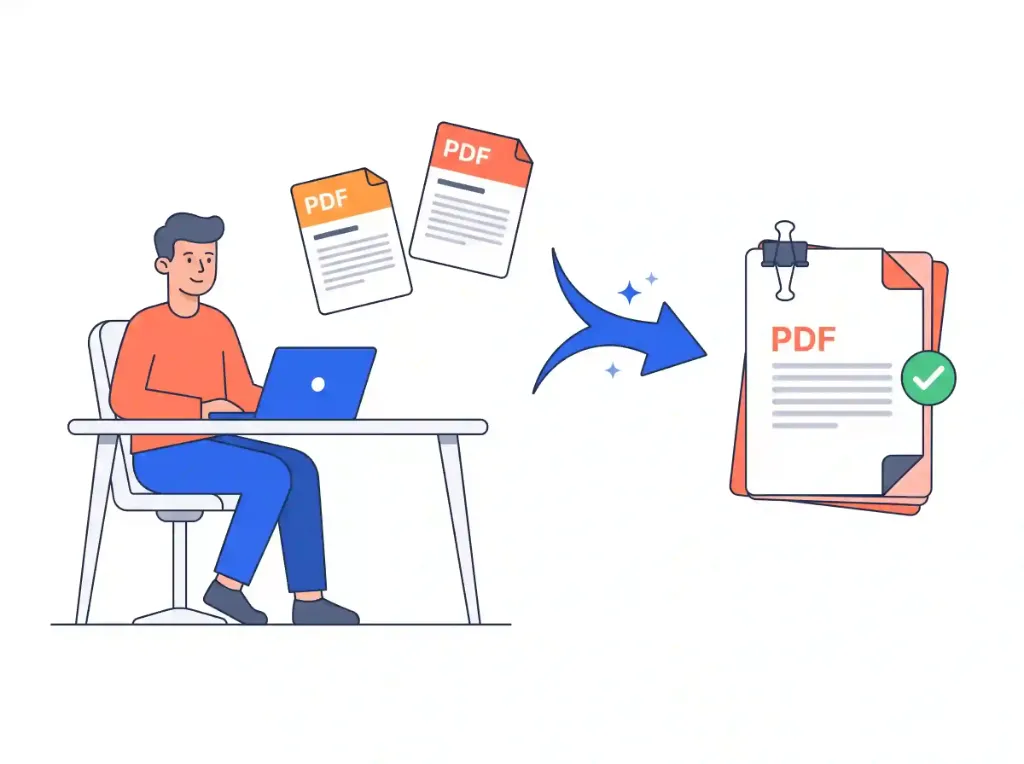
PDF Merge & Combine

Combine multiple PDF files into one single document in seconds

Initializing In-Browser RAM Sandbox...
PDF Merge & Combine — Technical Architecture & Specifications
High-Performance Engine

PDF Merge & Combine

Merge and reorder PDF pages entirely within your browser memory. No server uploads, zero file size limits, and 100% private.

Drag & drop page reordering
Single-page rotation
Zero file size limits
Fast memory processing
Air-Gapped Data Privacy

Absolute Zero-Upload Confidentiality

Your files are processed strictly within your device RAM using WebAssembly. Zero cloud uploads.

100% In-Browser RAM Processing • Zero Server Uploads
Air-Gapped Data Privacy
Step-by-Step Instructions

How to use online: PDF Merge & Combine

Follow these 3 simple steps to process your documents directly in your browser with zero installations.

1

Select & Arrange Files

Click Select PDF Files or drop documents into the workspace. Files load instantly into browser RAM.

2

Drag & Organize Pages

Drag page thumbnails to reorder sequence, rotate individual sheets, or remove unwanted pages with live visual preview.

3

Download Combined PDF

Click Download Merged PDF to save your unified document instantly with zero cloud upload delays.

Privacy & Performance Benchmark

Why Multinook Outperforms Traditional Cloud Converters

See how client-side WebAssembly architecture compares to conventional cloud upload services.

File Size Limit

Multinook
Unlimited Device RAM
iLovePDF / Adobe
50MB Cap (Smallpdf)

Pricing & Paywall

Multinook
Free Forever ($0)
iLovePDF / Adobe
$239/yr (Adobe Pro)

Page Drag & Drop

Multinook
Live In-Browser
iLovePDF / Adobe
Slow Cloud Reload

Cloud File Upload

Multinook
0 Bytes (Local RAM)
iLovePDF / Adobe
Mandatory Upload

Daily Task Caps

Multinook
Unlimited Free
iLovePDF / Adobe
2 Files / Day
Technical Architecture & Specifications

Specifications & Format Compatibility

Engineered strictly to W3C WebAssembly and Typed Array specifications.

Synthesis EnginePDF-Lib In-Memory Vector Stream Fusion
Page Capacity1,000+ Pages (Hardware RAM Bound)
Reordering ControlsInteractive Visual Drag-and-Drop + 90° Card Rotation
Data Transmission0 Bytes Uploaded • 100% Local Device RAM
Font & Link IntegrityBit-for-Bit Stream Duplication (Zero Rasterization)
Licensing & LimitsFree Forever ($0) • No Account Required • Unlimited
Common Inquiries

Frequently Asked Questions

Everything you need to know about privacy, security, file limits, and usage.

Simply drag and drop all your PDF documents into our visual workspace. The canvas displays interactive thumbnail previews of every page. You can click and drag any page card forward or backward to establish your exact reading sequence, rotate individual sideways sheets, or remove unwanted pages before clicking "Download Merged PDF".
There are zero artificial limits. Unlike commercial competitors like Smallpdf or Adobe that cap free users at 50MB or 2 tasks per day, our tool is bound only by your local computer's physical hardware memory. You can merge documents with 500+ pages and multi-gigabyte datasets without facing paywalls or slowdowns.
Yes. Each page thumbnail card in the visual grid includes a 1-click rotation button. You can rotate individual pages clockwise by 90, 180, or 270 degrees. The engine updates the underlying PDF /Rotate dictionary attribute in local memory without re-rasterizing the document.
No. Merged documents are 100% clean and free of watermarks or branding. Our in-memory stream merger copies raw vector content streams, embedded TrueType fonts, and hyperlinked annotations bit-for-bit, ensuring pristine commercial presentation.
To merge password-protected PDFs, you must first unlock the document using its access password. Once decrypted, you can combine it freely with any other standard PDF documents in the browser workspace.

High-Performance In-Memory PDF Stream Concatenation

Combining multiple PDF documents requires much more than simply concatenating binary files together. Each independent PDF possesses its own document Catalog, Pages tree hierarchy, indirect Object dictionary (/ObjStm), embedded font descriptors, and cross-reference table.

Our tool utilizes low-level WebAssembly memory-mapping to parse the structural dictionaries of every input document directly in browser RAM. Our engine re-indexes all indirect object reference IDs sequentially, merges the /Pages node trees into a unified linear hierarchy, and deduplicates font tables to prevent unnecessary file bloat.

Because all page manipulation is computed locally on your CPU threads, page reordering, 90-degree single-sheet rotation, and document merging execute in milliseconds with zero network upload latency.

Zero-Cloud Architecture for Confidential Corporate & Legal Mergers

When combining confidential legal contracts, corporate financial audits, or medical patient records, uploading files to third-party web servers introduces non-compliance risks under GDPR, HIPAA, and SOC2 frameworks. Cloud services retain temporary caches and create potential vectors for data exfiltration.

Our tool guarantees complete zero-knowledge privacy. Document byte streams never leave your device network perimeter. The moment you complete your download and close the browser tab, all allocated memory buffers are immediately flushed by the browser garbage collector.

Verified 100% In-Browser RAM Security
Updated for 2026 Web Standards